HVAC Systems & Controls
Building Integrated Photovoltaics (BIPV)
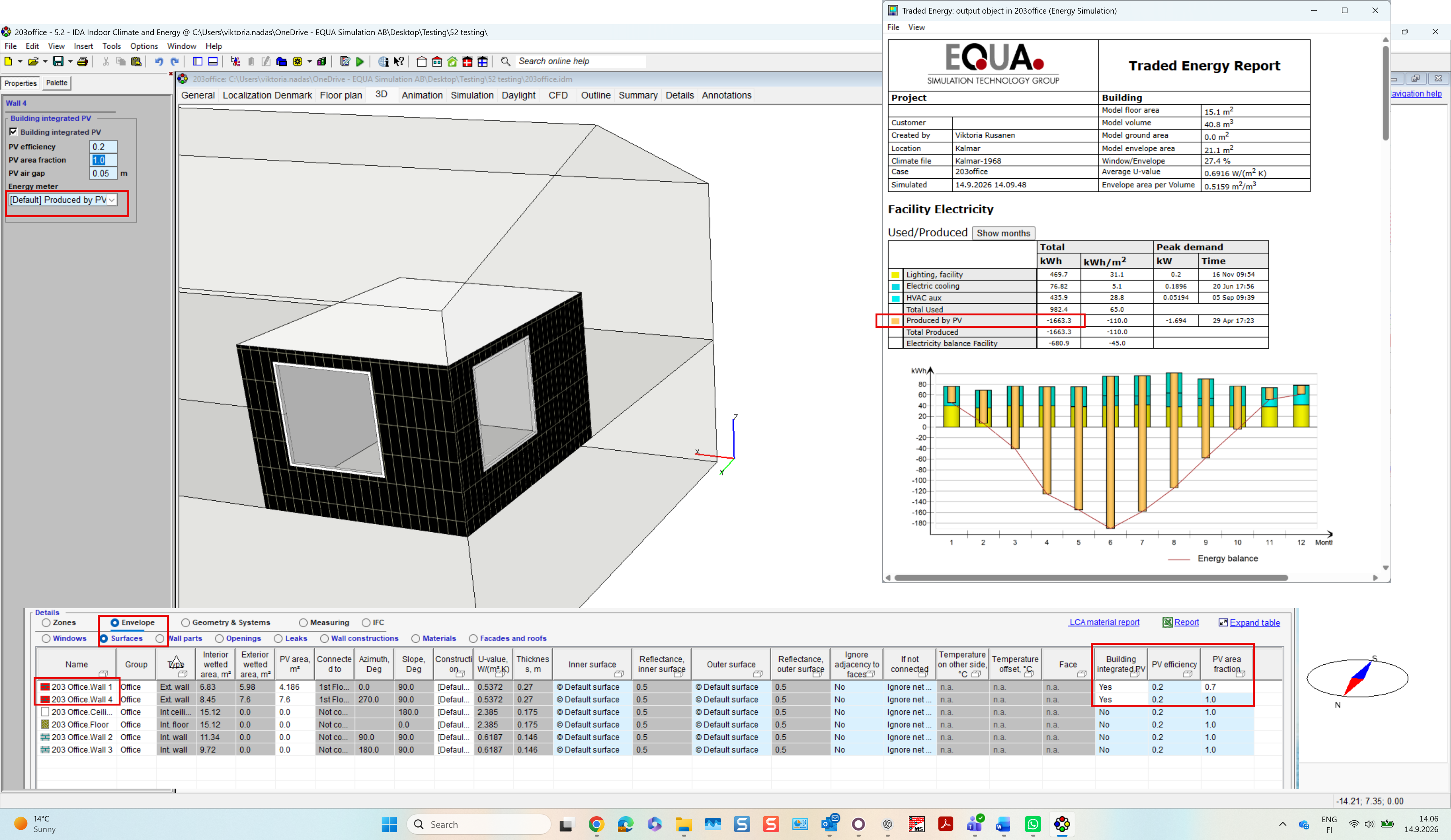
Purpose: Model façade-integrated PV systems and their interaction with the building envelope, including electricity generation and thermal processes.
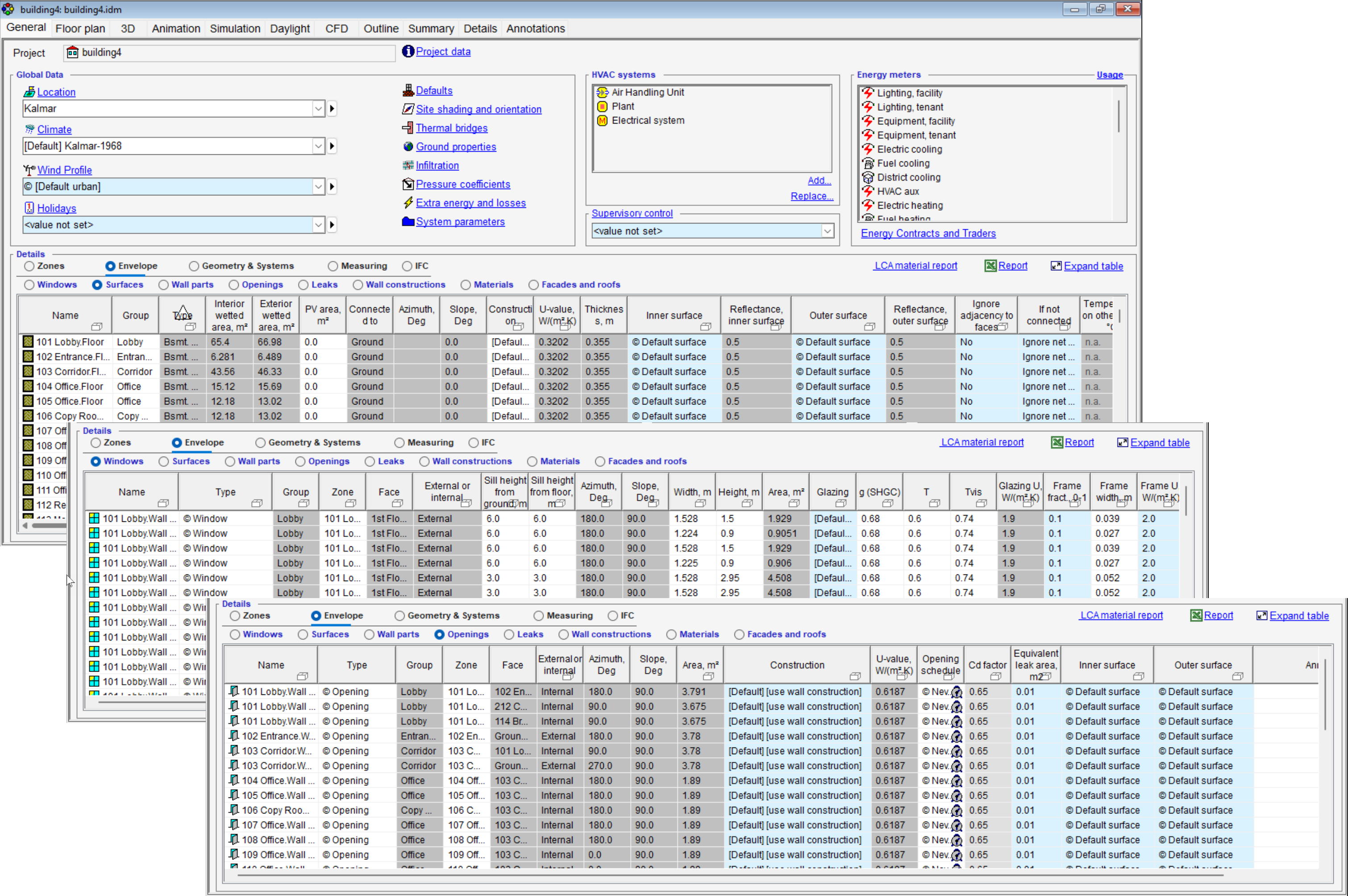
Ease of use: Assign BIPV directly to façade at the surfaces table using only PV efficiency and area coverage. Electrical generation and thermal behaviour are calculated automatically and integrated into the building energy balance outputs.
Example: Evaluate the energy performance of an office building with BIPV façades, including electricity production and its impact on façade temperatures and different heat transfer processes, such as radiative exchange with the sky and ground, and convective heat transfer in the ventilated air gap behind the panel.
New Control Components
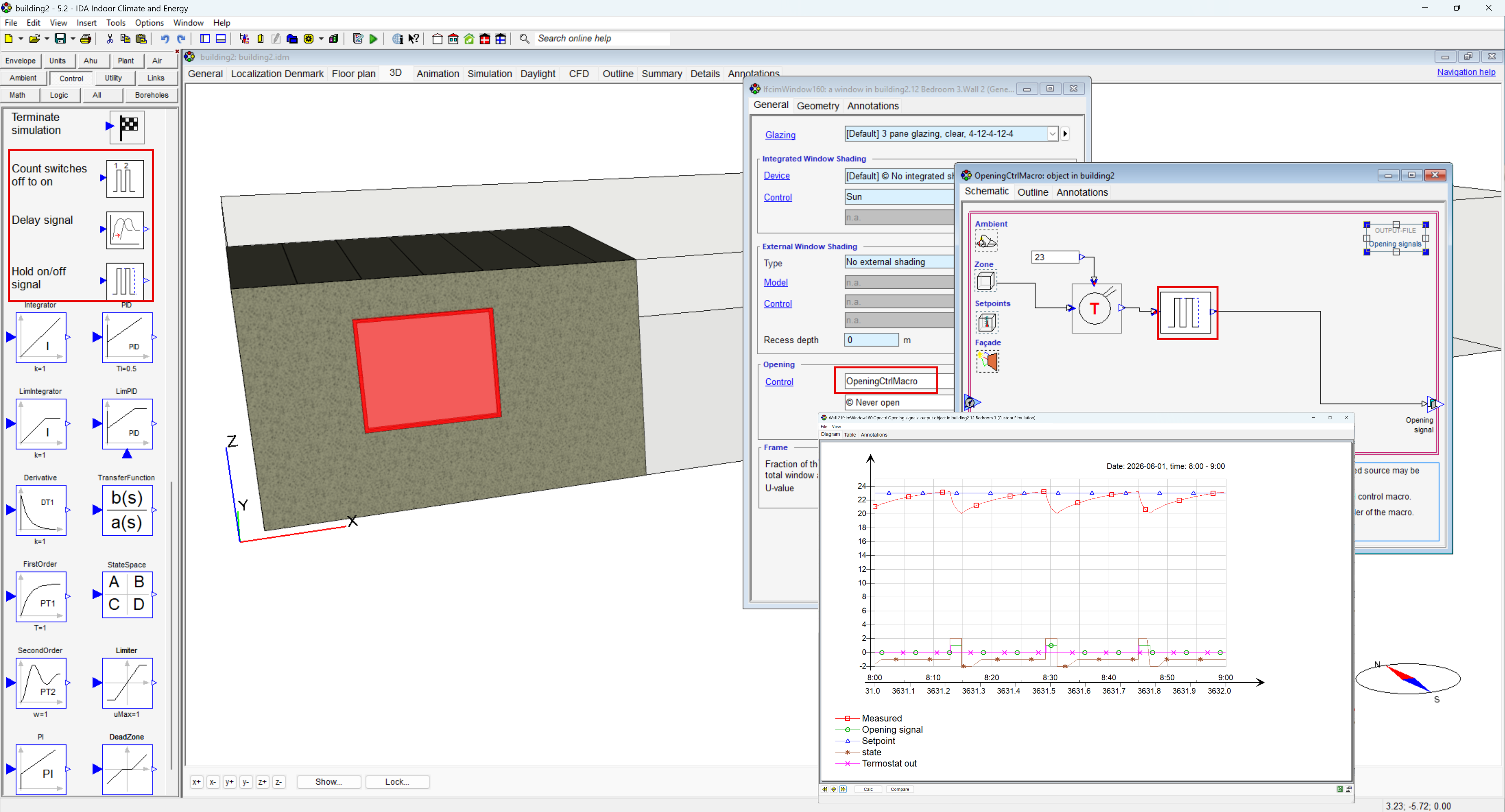
Purpose: Extend custom control strategies with three new components: Count switch counting (off → on), Delay and Hold signal.
Ease of use: Makes common control logic easier to build directly in IDA ICE, reducing the need for more complex combinations of existing controller components.
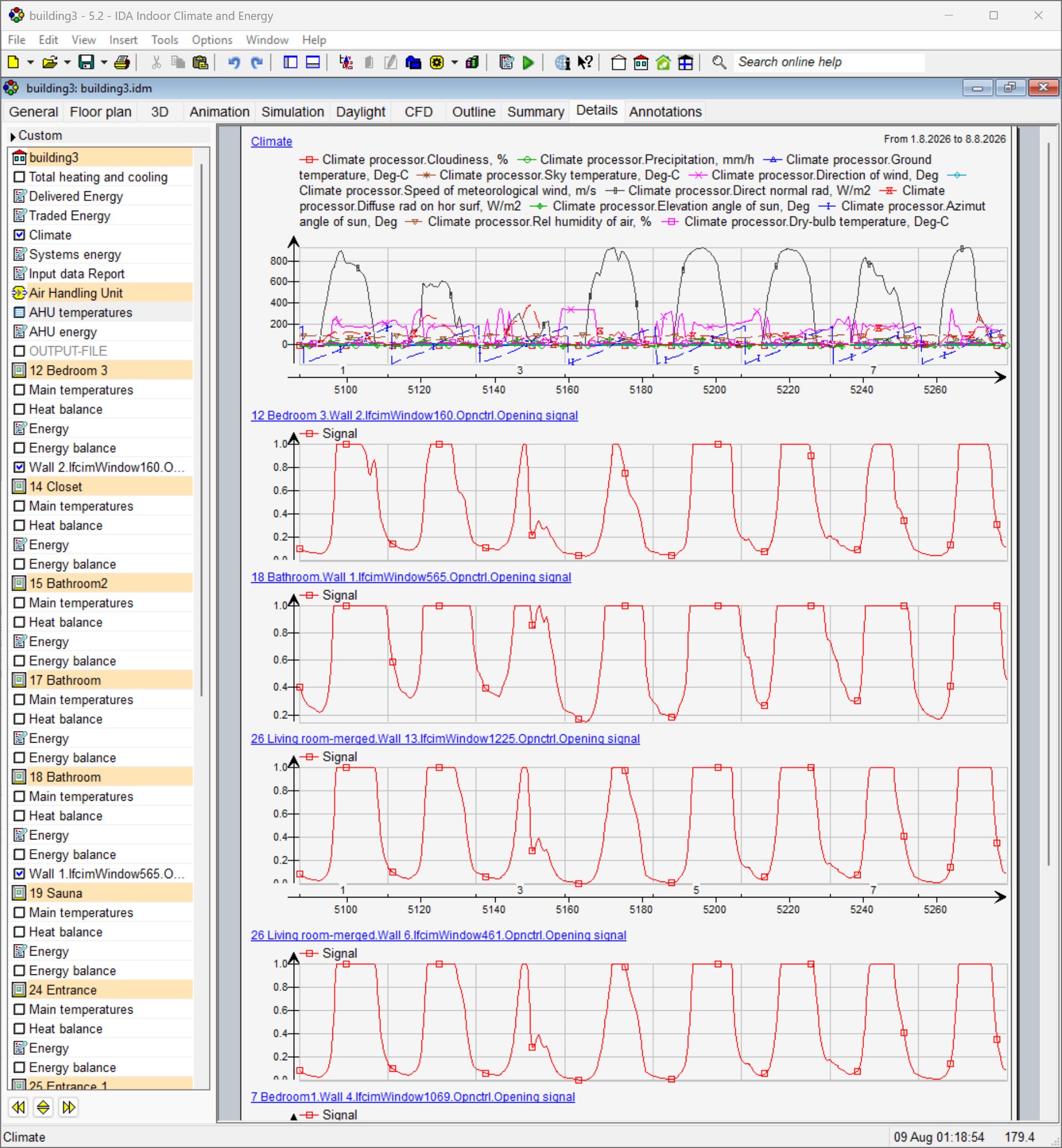
Example: Keep a window open for a minimum period after opening, even if the triggering control signal changes.
WISE Water Cooling and Heating System Control
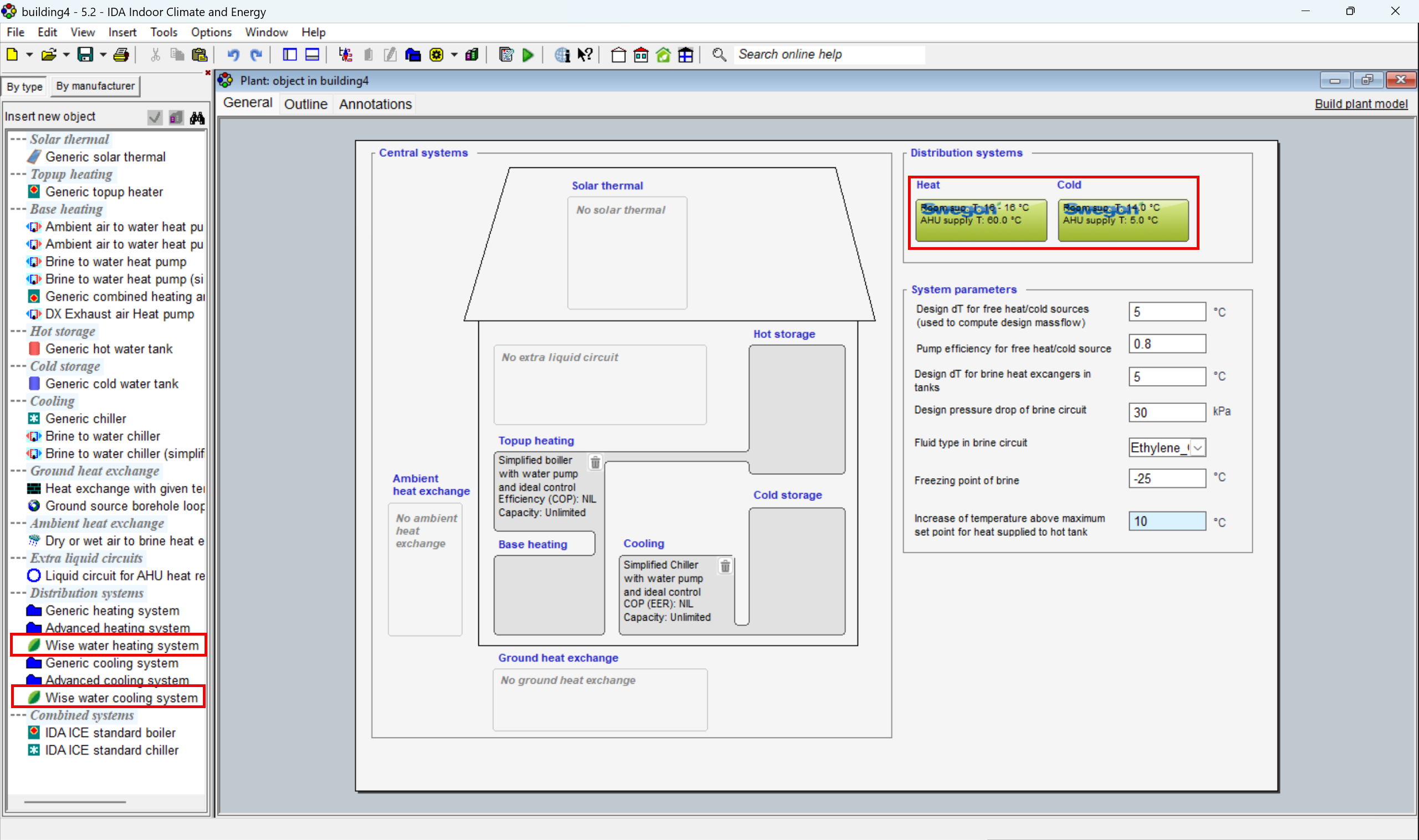
Purpose: Coordinate heating and cooling supply temperatures based on demand from multiple zones. The new WISE distribution system dynamically adjusts AHU supply temperature according to zone control signals, valve positions and defined system limits.
Ease of use: Dedicated zone and AHU controllers make coordinated system control available at the Standard level. Advanced control strategies can be implemented without building custom control logic, while maintaining stable operation within configurable temperature limits.
Example: Adjust AHU supply temperature dynamically according to heating and cooling demand across multiple rooms, avoiding unnecessary temperature offsets while responding to changing zone conditions.
Extended Zone Sensor
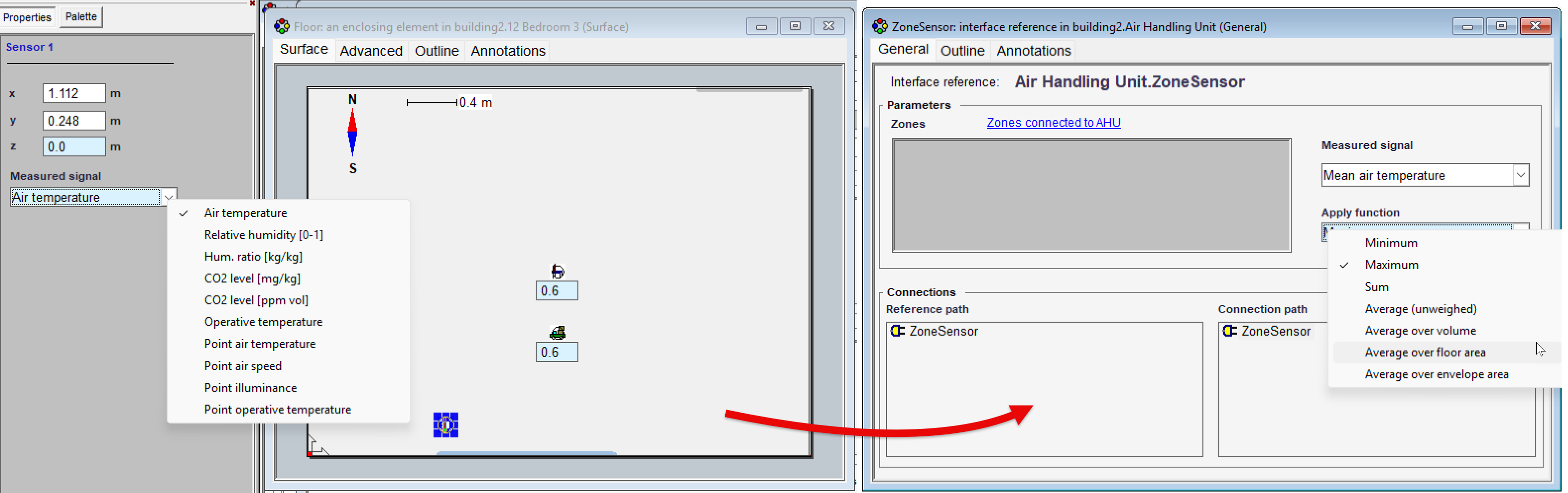
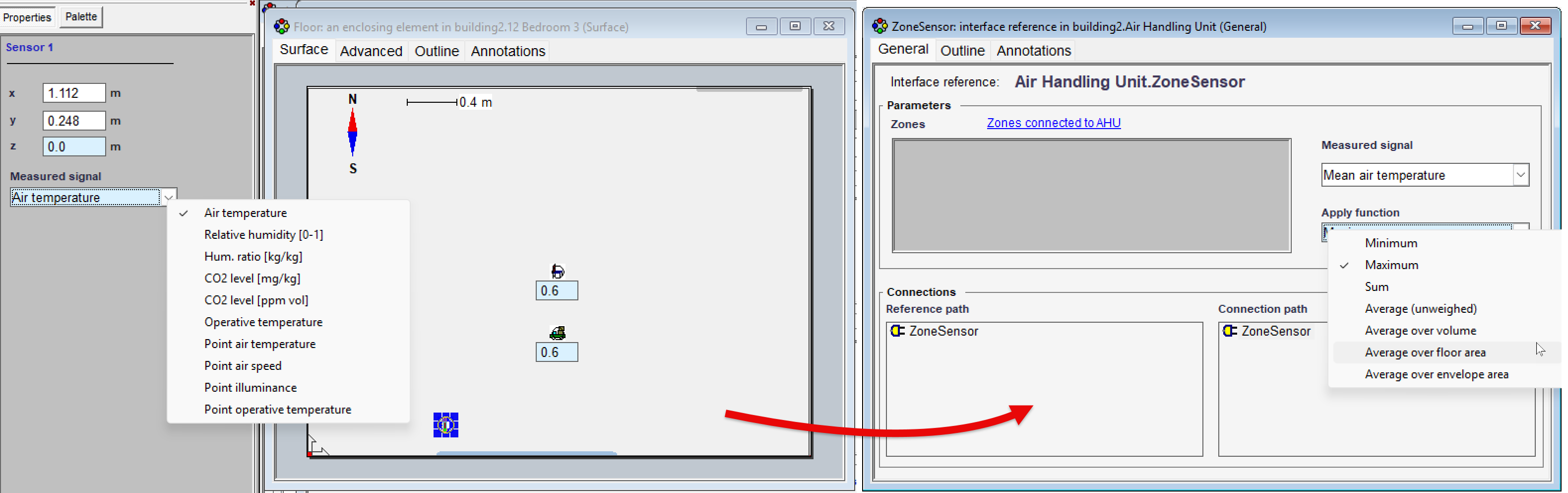
Purpose: Extend the Zone Sensor with access to additional control and operational signals, including setpoints, in-use status, time before use and VAV damper position. Sensor values can also be combined using Min, Max, Sum and several averaging methods.
Ease of use: More complex control strategies can now be built directly at the Standard level, with flexible aggregation of signals across multiple zones and less need to retrieve variables through Advanced-level modelling.
Example: Use the average, minimum or maximum conditions across several zones as an input for coordinated system control.
New, Extended Humidity Control AHU Models
Purpose: Introduce extended humidity control for air handling units, with humidification, dehumidification and cooling logic explicitly represented in the controller instead of a black-box implementation.
Ease of use: Makes humidity control strategies easier to understand, troubleshoot and debug by providing direct access to the internal control logic. Added Annotations provide additional control descriptions.
Example: Configure AHUs with evaporative humidification and cooling-based dehumidification, or steam humidification and cooling-based dehumidification.
Steam humidifier and controls:
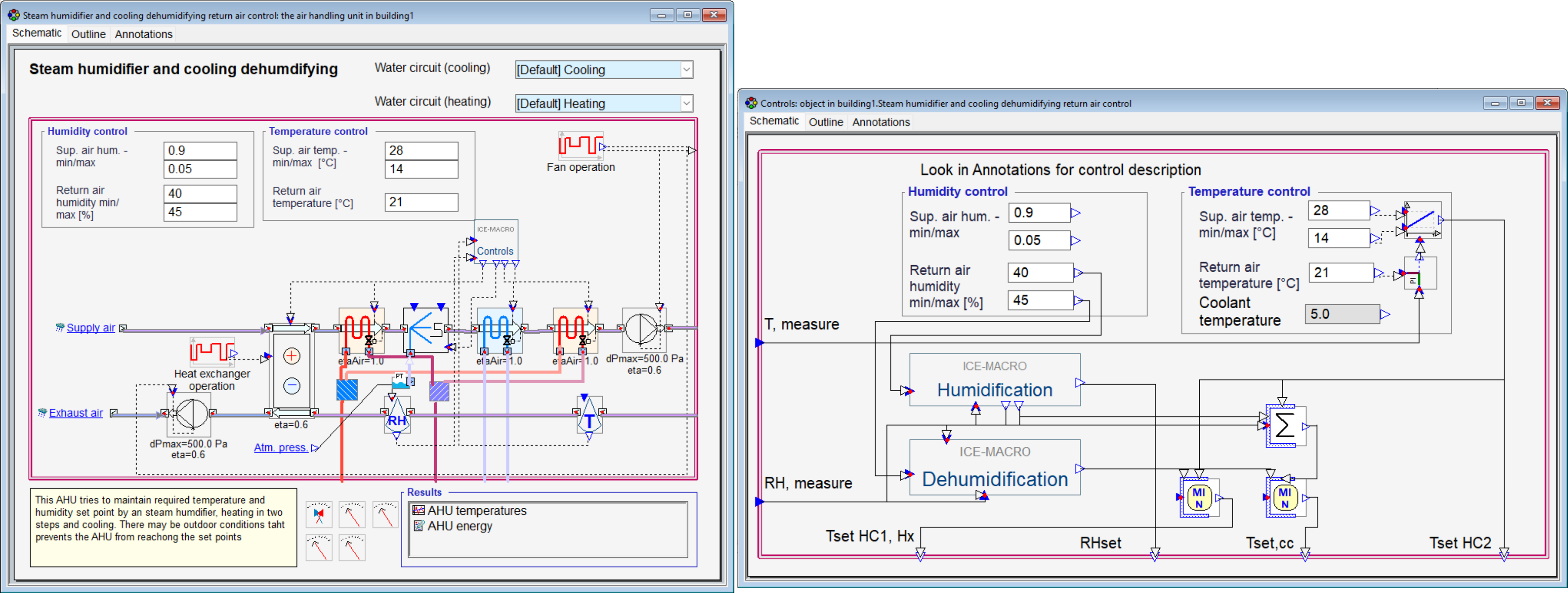
Steam humidifier and controls:
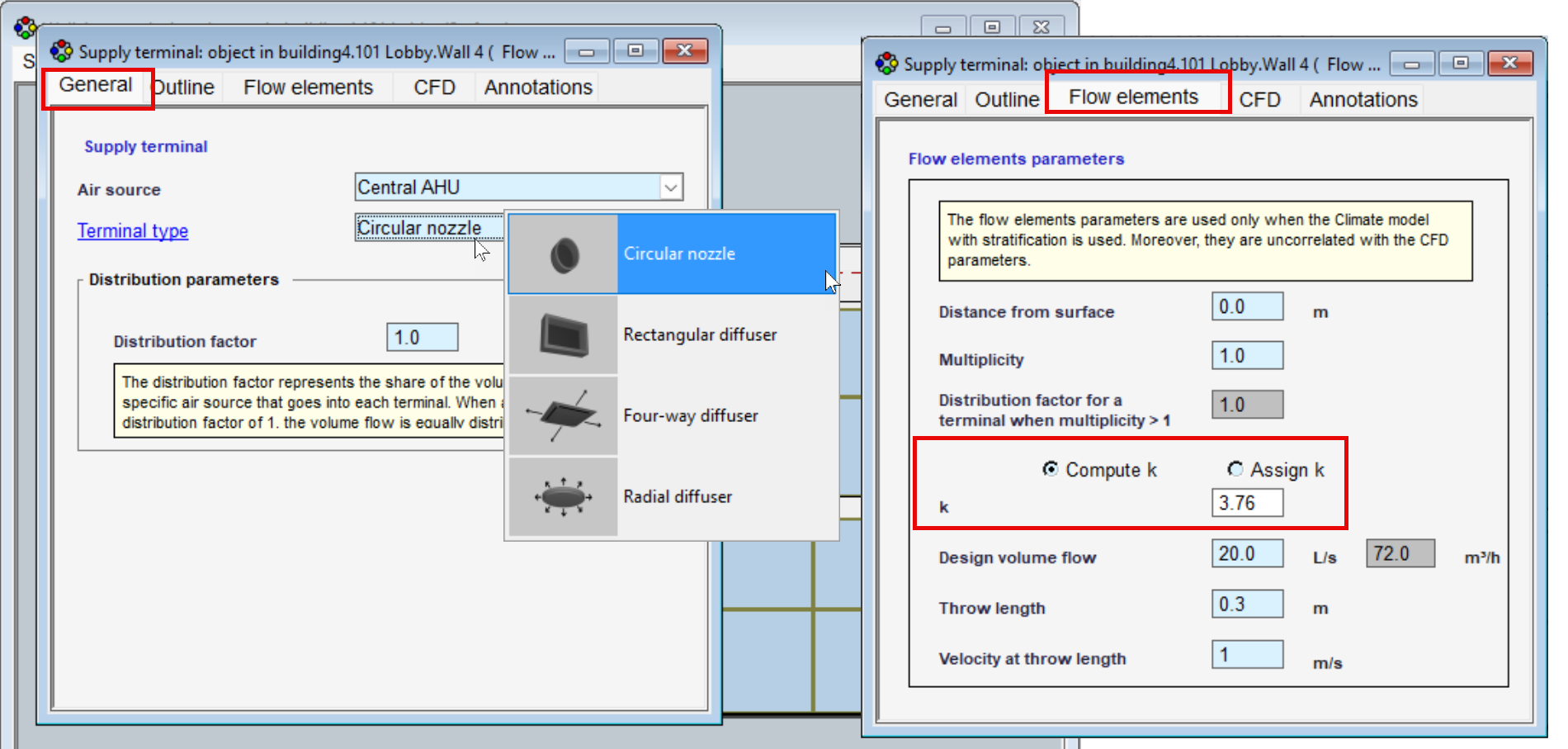
Predefined Air Terminal Types
Purpose: Simplify the definition of air terminal throw characteristics for simulations with the stratified zone model by automatically assigning the throw coefficient (k-value) based on the selected terminal type.
Ease of use: Removes the need to manually define or estimate k-values, making it faster and easier to set up realistic air distribution characteristics without looking up manufacturer data.
Example: Select from predefined circular terminals ;rectangular diffusers; four-way diffusers and radial diffusers – with the appropriate k-value assigned automatically.
Print
Email
 HVAC Systems & Controls
Building Integrated Photovoltaics (BIPV)
Purpose: Model façade-integrated PV systems and their interaction with the building envelope, including electricity generation and thermal processes.
Ease of use: Assign BIPV directly to façade at the surfaces table using only PV efficiency and area coverage. Electrical generation and thermal behaviour are calculated automatically and integrated into the building energy balance outputs.
Example: Evaluate the energy performance of an office building with BIPV façades, including electricity production and its impact on façade temperatures and different heat transfer processes, such as radiative exchange with the sky and ground, and convective heat transfer in the ventilated air gap behind the panel.
New Control Components
Purpose: Extend custom control strategies with three new components: Count switch counting (off → on), Delay and Hold signal.
Ease of use: Makes common control logic easier to build directly in IDA ICE, reducing the need for more complex combinations of existing controller components.
Example: Keep a window open for a minimum period after opening, even if the triggering control signal changes.
WISE Water Cooling and Heating System Control
Purpose: Coordinate heating and cooling supply temperatures based on demand from multiple zones. The new WISE distribution system dynamically adjusts AHU supply temperature according to zone control signals, valve positions and defined system limits.
Ease of use: Dedicated zone and AHU controllers make coordinated system control available at the Standard level. Advanced control strategies can be implemented without building custom control logic, while maintaining stable operation within configurable temperature limits.
Example: Adjust AHU supply temperature dynamically according to heating and cooling demand across multiple rooms, avoiding unnecessary temperature offsets while responding to changing zone conditions.
Extended Zone Sensor
Purpose: Extend the Zone Sensor with access to additional control and operational signals, including setpoints, in-use status, time before use and VAV damper position. Sensor values can also be combined using Min, Max, Sum and several averaging methods.
Ease of use: More complex control strategies can now be built directly at the Standard level, with flexible aggregation of signals across multiple zones and less need to retrieve variables through Advanced-level modelling.
Example: Use the average, minimum or maximum conditions across several zones as an input for coordinated system control.
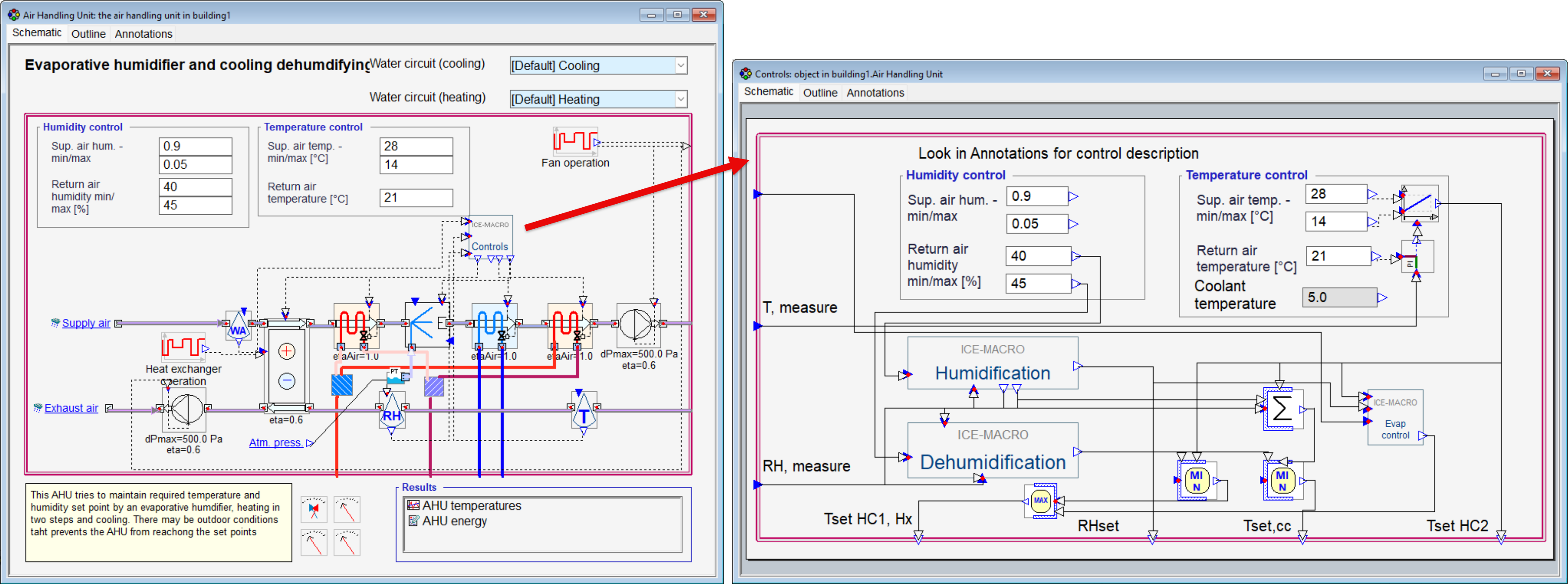
New, Extended Humidity Control AHU Models
Purpose: Introduce extended humidity control for air handling units, with humidification, dehumidification and cooling logic explicitly represented in the controller instead of a black-box implementation.
Ease of use: Makes humidity control strategies easier to understand, troubleshoot and debug by providing direct access to the internal control logic. Added Annotations provide additional control descriptions.
Example: Configure AHUs with evaporative humidification and cooling-based dehumidification, or steam humidification and cooling-based dehumidification.
Steam humidifier AHU with controls:
Evaporative AHU with controls:
Predefined Air Terminal Types
Purpose: Simplify the definition of air terminal throw characteristics for simulations with the stratified zone model by automatically assigning the throw coefficient (k-value) based on the selected terminal type.
Ease of use: Removes the need to manually define or estimate k-values, making it faster and easier to set up realistic air distribution characteristics without looking up manufacturer data.
Example: Select from predefined circular terminals ;rectangular diffusers; four-way diffusers and radial diffusers – with the appropriate k-value assigned automatically.
Print
Email
 English
  Svenska
  Deutsch
  Suomi
Suomi  中文(简体)