English
  Svenska
  Deutsch
  Suomi
Suomi  中文(简体)
 BIM & Geometry Workflows
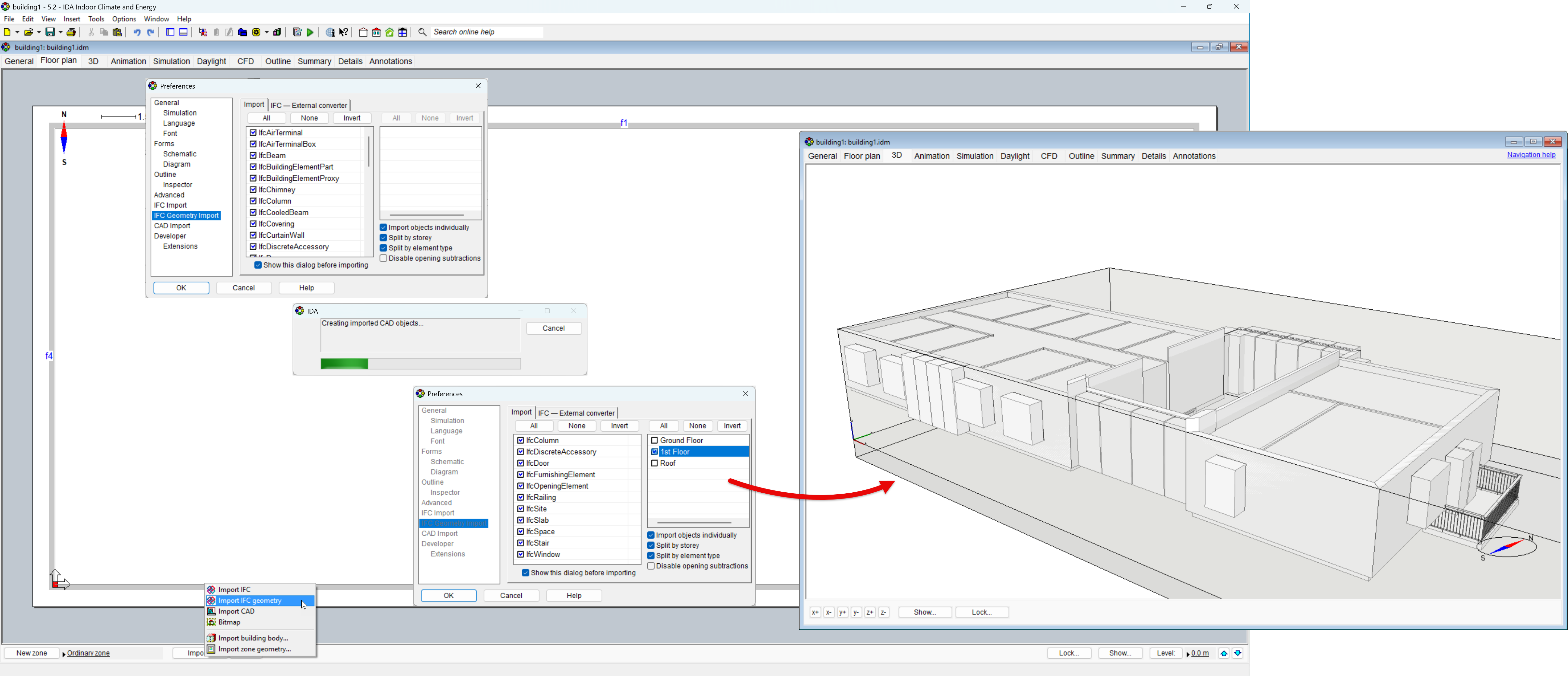
Extended IFC Import
Purpose: Extend the IFC import workflow with support for IFC4 and IFC4x3, partial model import and more flexible handling of imported building objects.
Ease of use: Provides greater control when preparing simulation models from large or imperfect BIM files. Models can be imported partially, stepwise, while imported objects can be adjusted or converted into appropriate building elements directly during model preparation.
Example: Import a large IFC model one story at a time; convert proxy objects into walls when the original BIM model contains simplified or non-standard geometry.
CAD-IFC Duplication
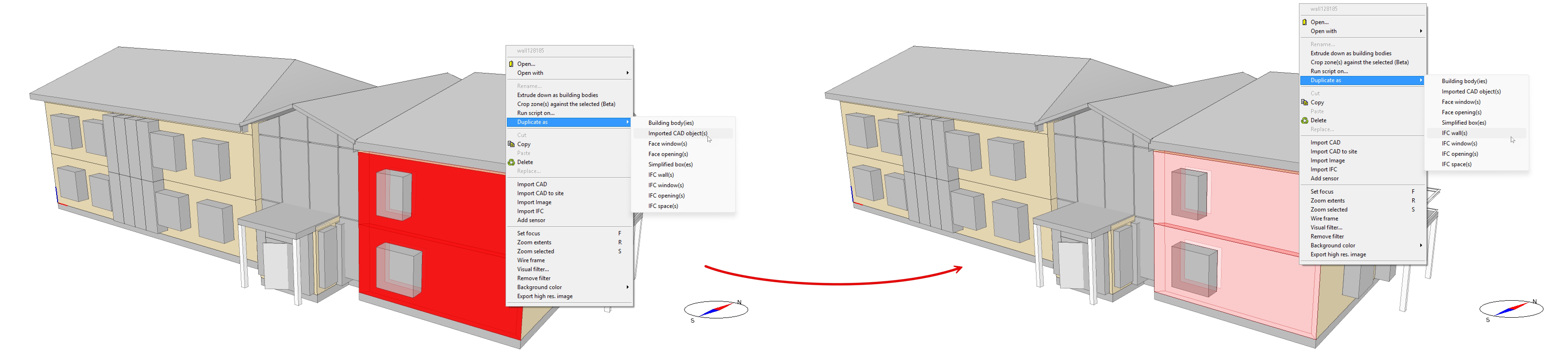
Function: Convert and duplicate geometry between CAD and IFC representations, including zones, directly from the 3D or Tables view.
Ease of use: Allows users to choose the most convenient representation for editing without rebuilding geometry from scratch.
Example: A faulty or incorrectly imported IFC wall now can be duplicated as CAD geometry, adjusted to match the intended building shape, and then recreated as an IFC building element.
Crop Zones and Building Bodies (beta)
Purpose: Create complex internal or external geometry by cropping zones/building bodies with other zones, extruded geometry, or building bodies.
Ease of use: Adds detailed geometry without requiring the surrounding zone structure to be rebuilt. The created zone surfaces are fully included in thermal and radiation calculations: view factor calculations for long-wave radiation exchange. They also can absorb and release heat like other building surfaces.
Examples: Create stepped seating in an auditorium; an intermediate floor inside a tall atrium or add free-standing radiators and other systems while keeping the original zone geometry intact.
Zone cropping:
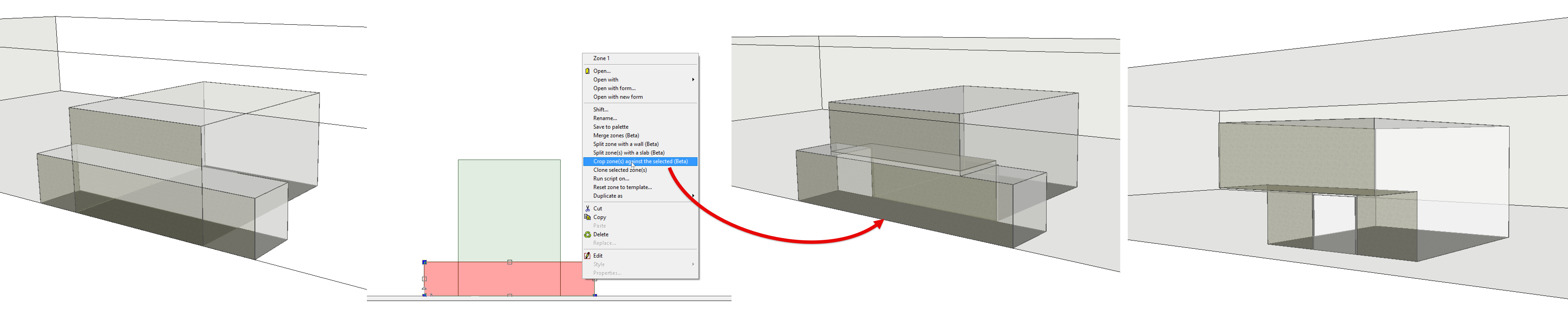
Building body cropping:

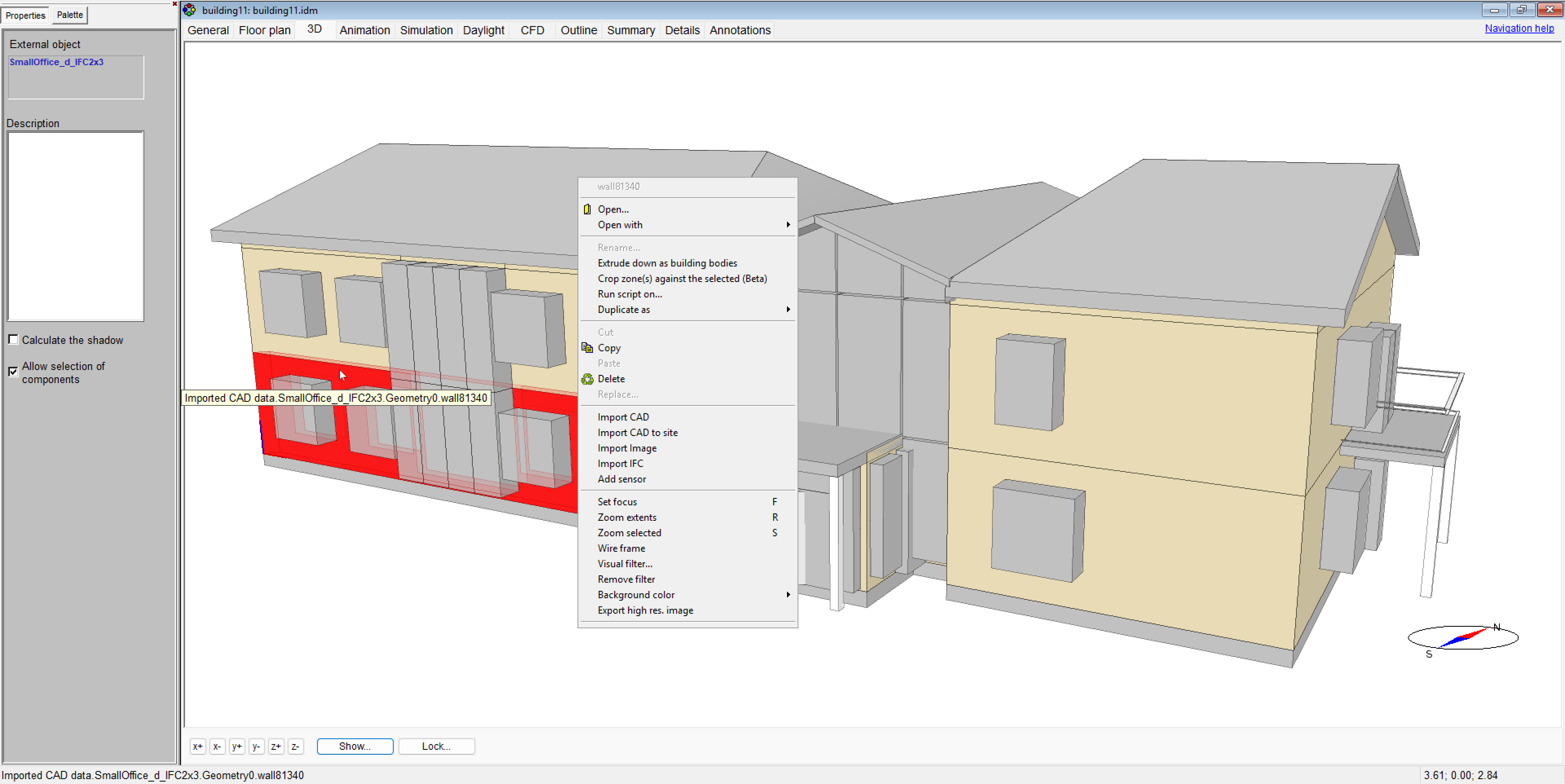
Individual CAD Object Selection in 3D
Purpose: Select individual CAD objects directly in the 3D view.
Ease of use: Removes the need to convert CAD geometry to IFC and back before editing, making geometry adjustments faster and more direct.
Example: Select and modify a single CAD wall or slab directly in a complex imported model without affecting the surrounding geometry.
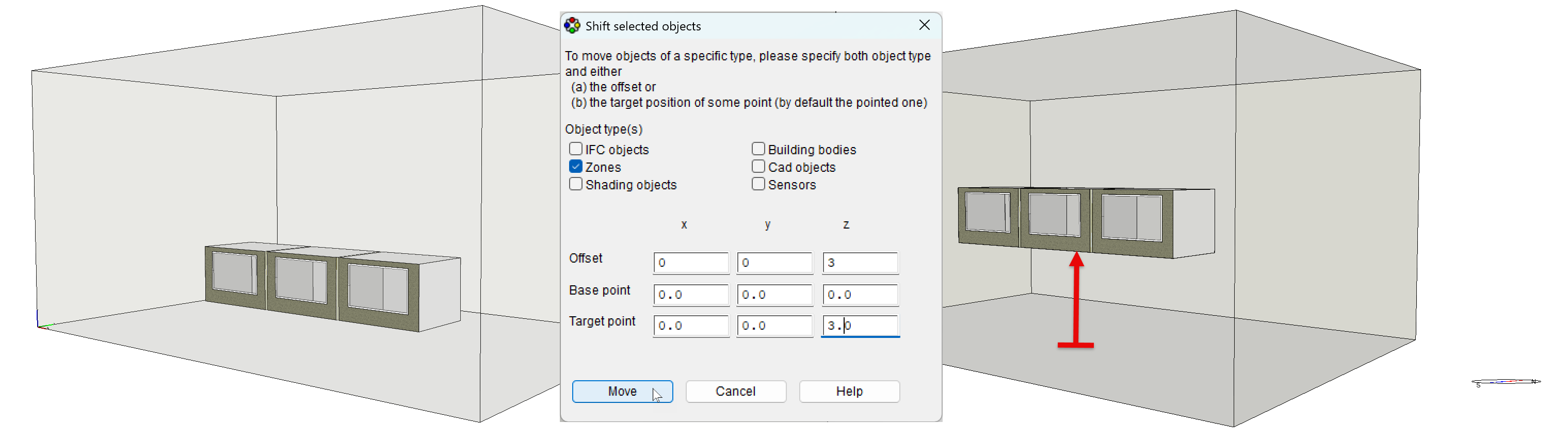
Shifting Multiple Objects Without Selection
Purpose: Shift all objects of a specified type at once, without selecting them individually.
Ease of use: Makes repositioning groups of similar objects faster while retaining the existing option to shift selected objects individually. Access: Edit à Shift.
Example: Shift all zones, CAD objects, sensors, or other supported object types in all three dimensions in a single operation.
Story Navigation
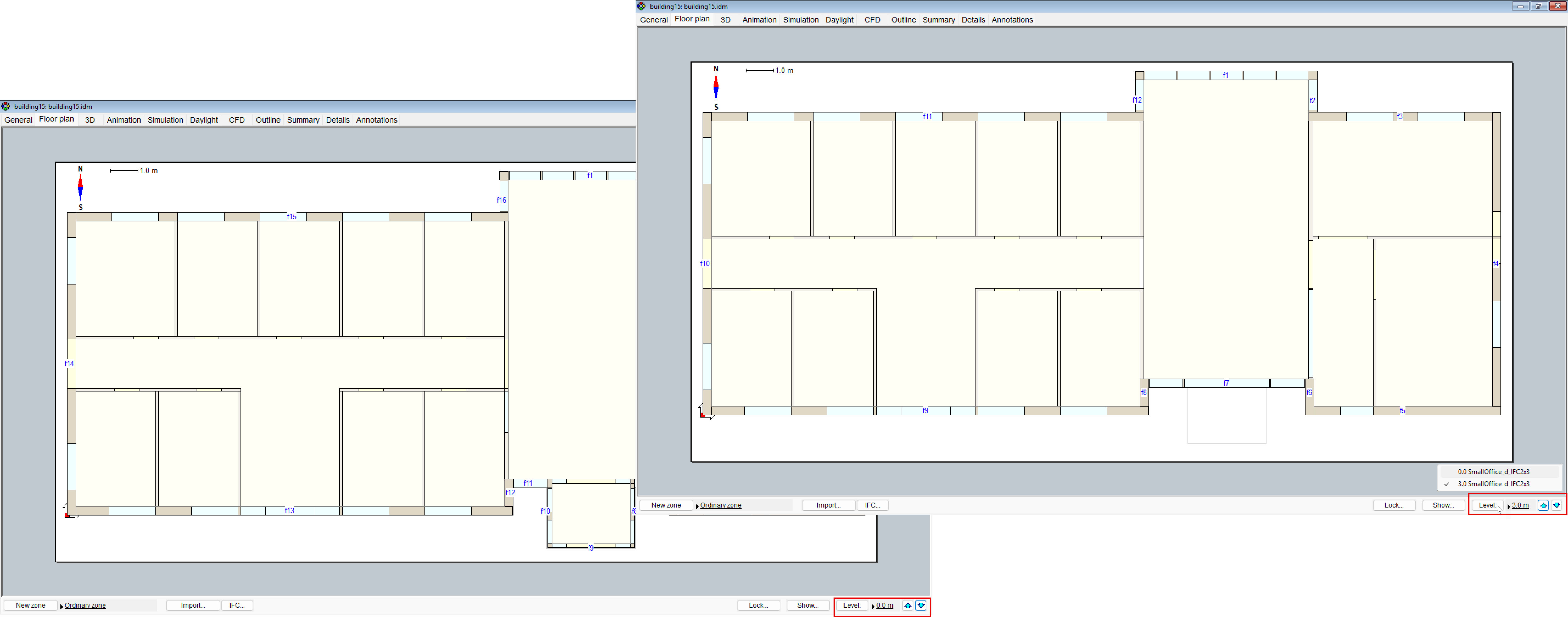
Purpose: Switch between building stories with a single click on the arrow buttons and identify the current story by its IFC name.
Ease of use: Makes floor-by-floor navigation faster and keeps imported BIM models easier to follow.
Example: Move directly between stories of a multi-story IFC model while retaining the original floor names.