Previous versions
Below is a list of the most important news in previous versions of ESBO.
Highlights in 2.2
 Spectral properties of glass panes and shading materials
Spectral calculation is introduced for glazing and integrated sunshades. This means that the properties of the whole glazing/sunshade system are calculated for each wavelength interval. Spectral calculations give higher accuracy than non-spectral. For modern glazing and shading materials, non-spectral calculations can give significant errors (> 10%) and viable system combinations may be missed. Spectral data can be uploaded by manufacturers at any time and is automatically synchronized with user databases.
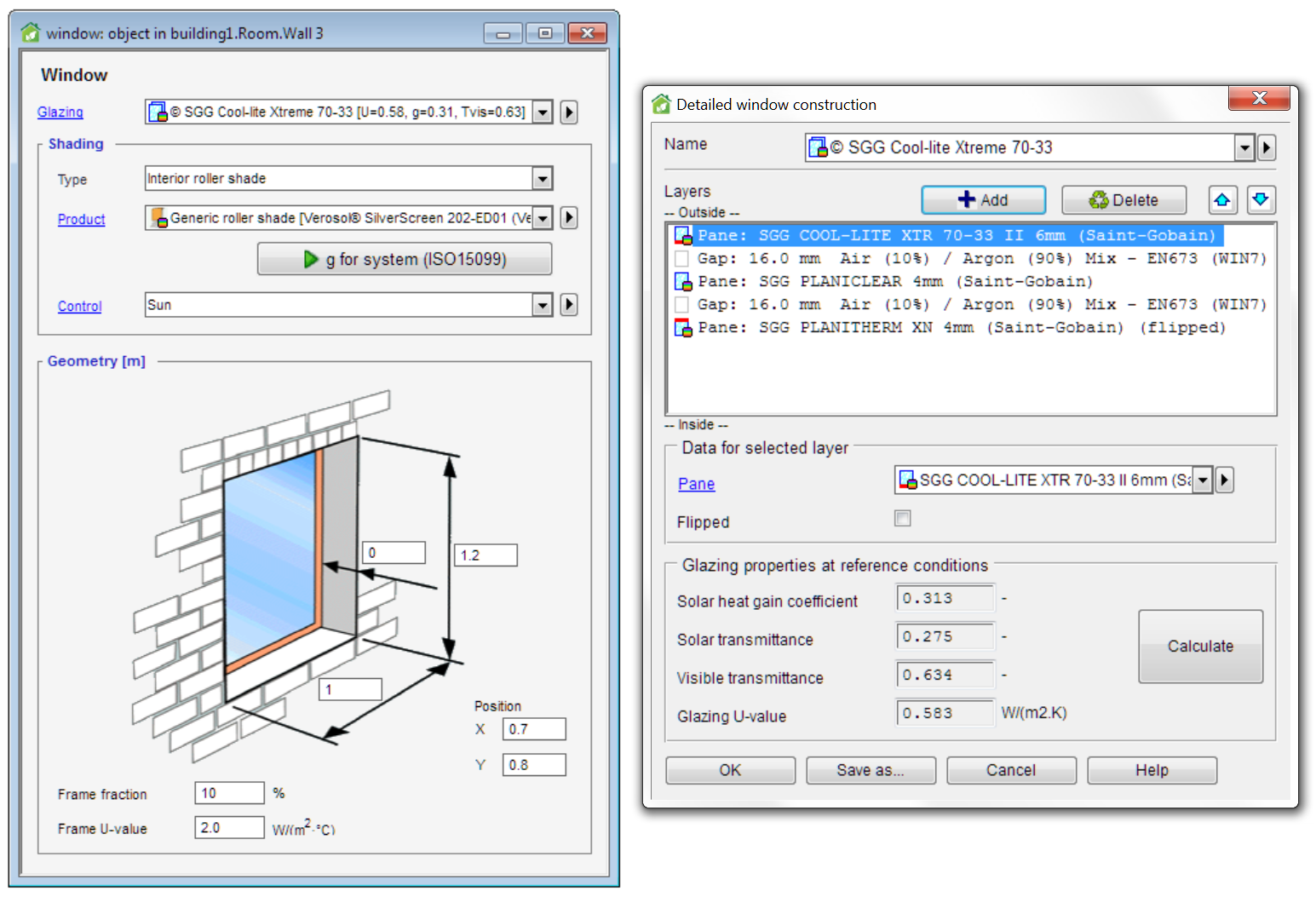
Overheating calculation
Overheating calculation is a new simulation type to automatically find the worst day for rooms that have no or limited mechanical cooling.
Enthalpy wheel heat exchanger
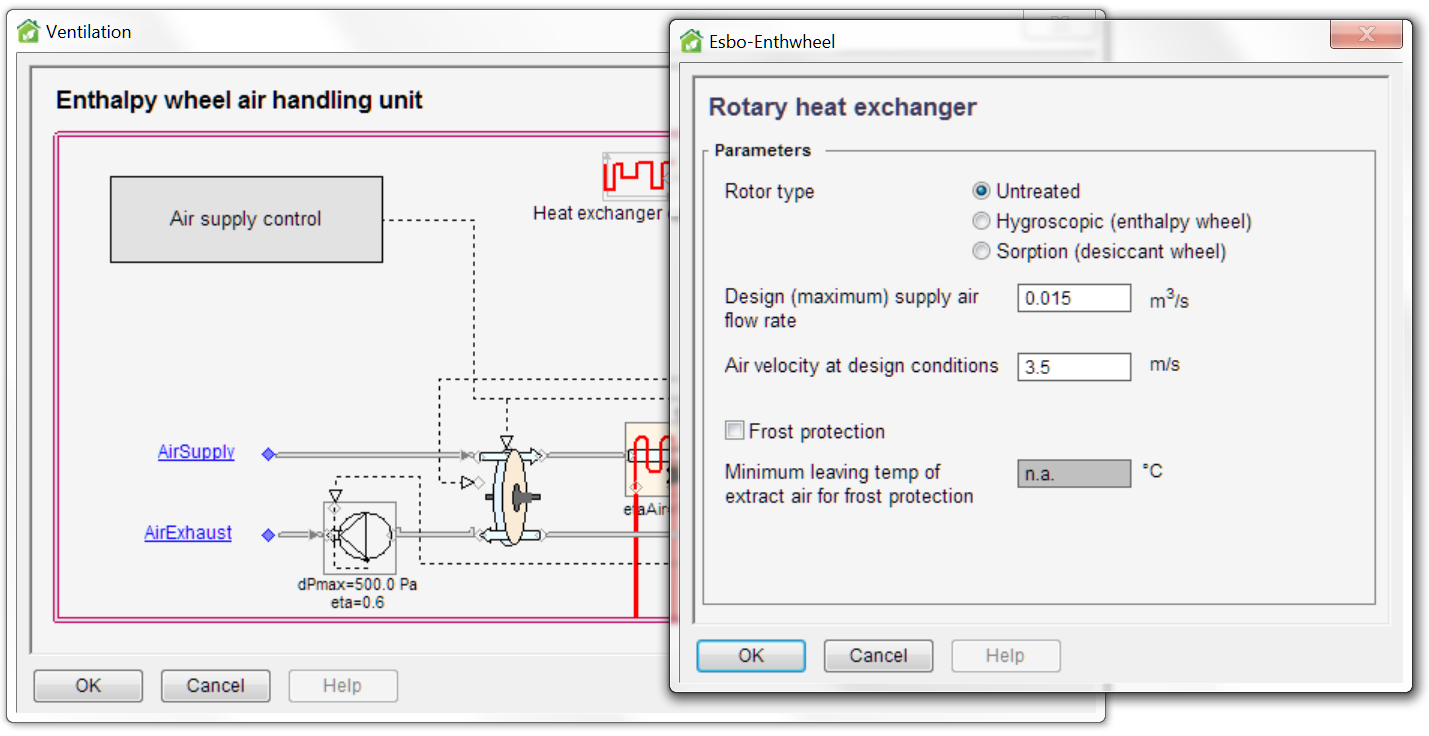
An air handling unit with a new rotary heat exchanger model, based on prEN 16798-5-1, is introduced. It has three options with different types of coatings:
- Uncoated: This type can transfer moisture only if condensation takes place in the wheel.
- Hygroscopic (enthalpy wheel): This type can recover some moisture even if no condensation takes place in the wheel.
- Sorption (desiccant wheel): Rotary heat exchanger for high humidity transfer. This type can recover even more moisture than the hygroscopic wheel.
|
New types of integrated shading
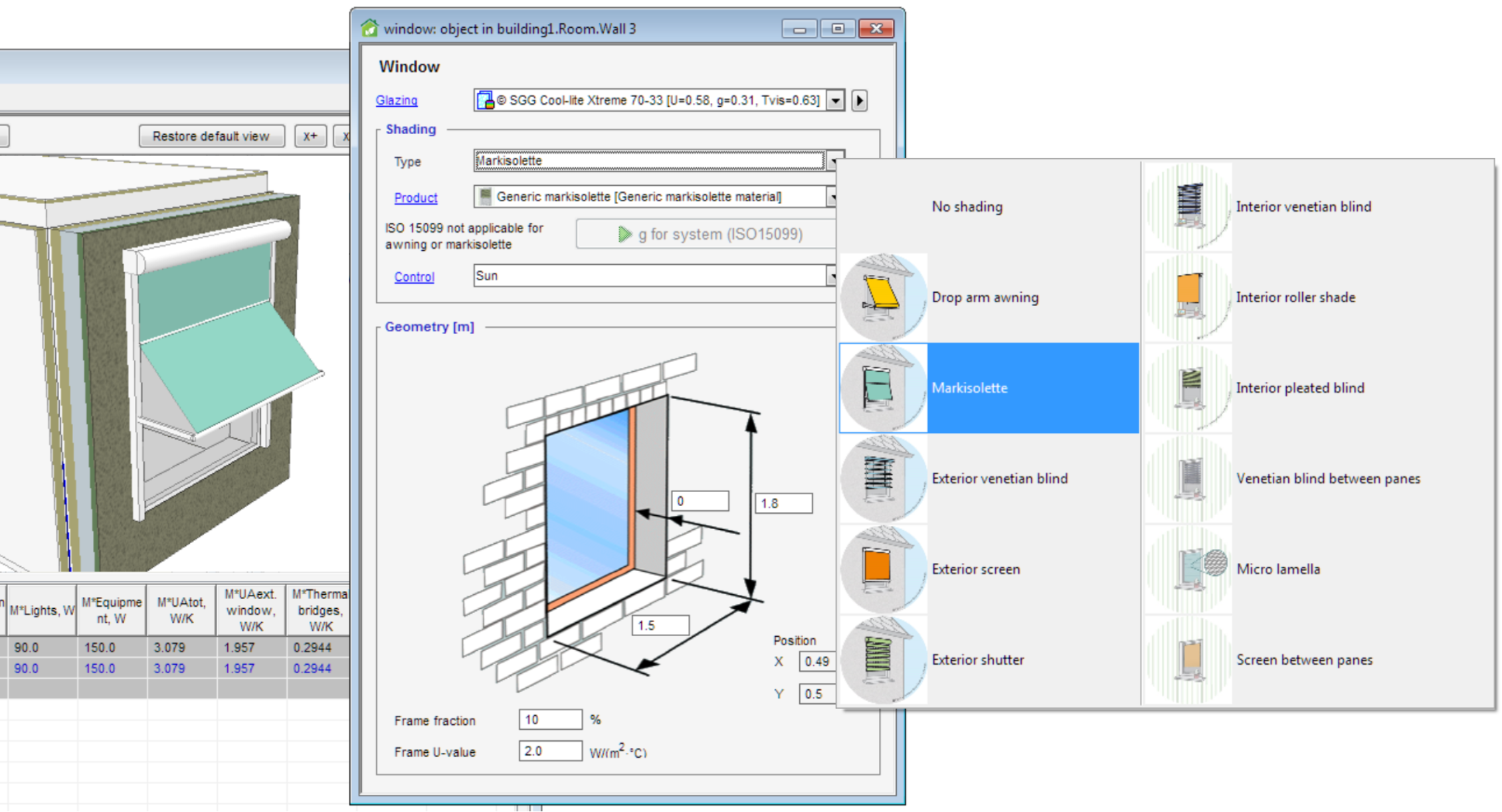
Three new types of typical shading devices can now easily be selected for the window; Micro lamellas (shading dependent on two angles), Venetian blinds between panes and Screens between panes. Access to manufacturer data for shading materials has been enabled.
New model for heat from occupants
Thermal comfort is calculated in ESBO according to ISO 7730. In ESBO 2.1 and earlier, the heat loss from a person that is too cold (PMV < 0) was larger than the specified metabolism. In ESBO 2.2, the clothing level is adjusted instead so that the PMV value becomes close to zero, which means that the total heat losses always become equal to the metabolism. This change only applies to the calculation of occupant heat. The calculation of PMV/PPD is not affected.
External shading1
It is now possible to also add and edit horizontal shades in Building 3D and shading.
Top of Page
Exhaust air heat pump
An exhaust air heat pump is now available in ESBO. It is quick and easy to set up a heat pump with liquid-coupled exhaust air heat recovery and storage tank. Sizing of flow rate and heat pump is supported.
Heat exchanger cooling recovery
Cool recovering in air handling unit can be turned off to show how much power and possible energy this function is saving.
Top of Page
Highlights in 2.0
Windows and shading devices
New features for windows and shading devices:
-
Detailed pane-by-pane window model according to ISO 15099 is now used, allowing for more realistic and detailed simulation of windows. Properties for each layer (panes, cavities and shades) can be defined, making it possible to construct arbitrary window configurations.
-
Six different types of typical shading devices can easily be selected for the window. Access to manufacturer data for different shading materials has been enabled.
-
Drop arm and markisolette external shading devices can easily be defined.
|
Climate data
New features for climate data:
-
New design-day data from the ASHRAE Fundamentals 2013 database for 6443 locations across the world is now available. This data contains hot (and cold) extreme days for every month of the year, allowing you to compute cooling loads also for ‘unusual’ months.
-
New hourly weather data from the IWEC2 data set for 3012 worldwide locations (many of them matching the design-day data).
-
The climate data is automatically adjusted to compensate any longitudinal difference between the building and the weather station.
- Easy download of missing climate data.
|
New cooling load calculation
A new cooling load calculation algorithm with automatic detection of “the worst day of the year” has been implemented, using monthly extreme weather data from the ASHRAE Fundamentals 2013 database. For modern buildings with low transmission losses, room cooling loads may peak in February or March, not during the summer as could be expected. The new method will detect this automatically. It will also automatically save peak design days for each zone and air handling unit as well as for the primary cooling system.
Results
Results of multiple simulations are now saved with the project file, and a new report for each simulation type has been added. In the paid version of ESBO two new result tabs can be opened; Summary and Details. The Summary tab includes summary tables for the rooms, air handling units and the building. For cooling load calculations, a summary of individual peak cases is presented. The Details tab features new ways of presenting multiple diagrams together, and it uses snapping crosshairs for easy reading.


Manufacturer data
Manufacturer data for room units and solar protection devices are now available directly in ESBO.
Batch runs and comparative report1
All open ESBO cases can now be run with a single mouse click. The results from all these simulations are shown in one comparative report.
Fan-coil model
A new dedicated fan-coil model is available that has more appropriate parameters and that is numerically more efficient. By setting the fan-power to zero, this model can also be used as an “ideal unit” that connects to the hydronic system.
Compressed binary file format
The default option is now to save the entire ESBO project in one single binary file. This makes it easier to copy ESBO projects and to incorporate them in file handling systems.
Print
Email
Highlights in 2.3
Learn more about ESBO here
MEP CAD integration1
Import zone geometry from CAD models created in MEP CAD tools and export simulation results back to the MEP CAD tool. Any CAD tool that can export IFC files with spaces and space boundaries can be supported.
Introduction of room templates in ESBO. After setting up a number of room templates with the desired internal gains, indoor climate standard and room units etc., this data is fetched from the room templates during the IFC import.

Daylight
Advanced daylight calculation by interfacing the Radiance™ lighting simulation tool. Easy calculation setup, execution and results report, all inside ESBO. Calculation of daylight factor and illuminance2, with2 and without shading. Selection of sky models2 including CIE standard sky models and Perez climate based sky model. Report with median2, average2, minimum2, maximum2 and uniformity ratio2 and color coded field visualization.

New glazing report
A new detailed glazing report has been developed with properties calculated according to EN ISO 52022-3, EN 410 and ISO 15099.

New heat pump and chiller models
A new variable speed drive heat pump and chiller model, both based on compressor manufacturer polynomials, are included in ESBO 2.3. Manufacturers can upload data directly.
New type of integrated shading
Switchable glass panes – e.g. electrochromic panes - can now be easily selected for windows. Access to manufacturer data has been enabled.

External shading3
ESBO now supports shading from other rooms, balconies and other fixed shades.
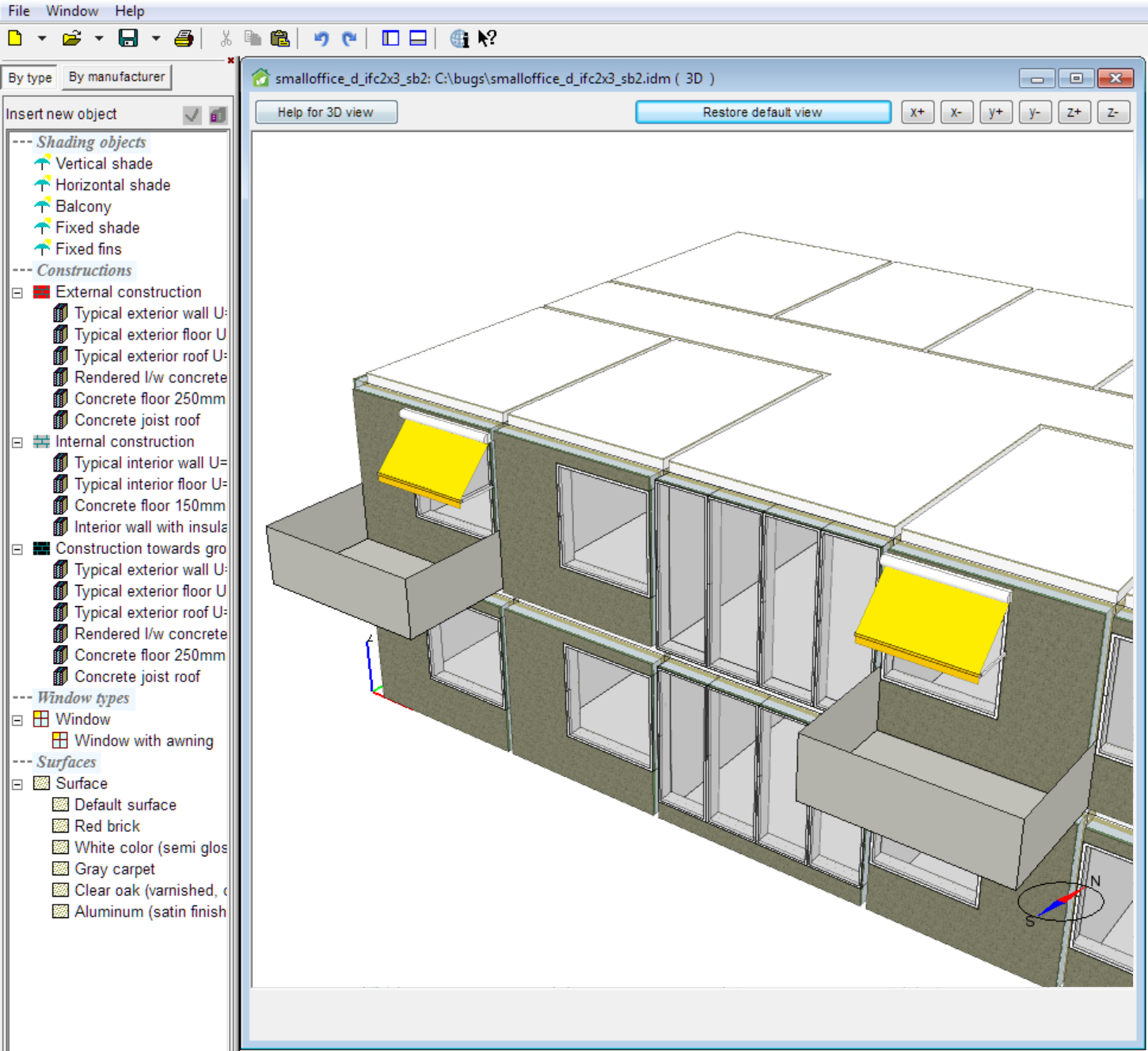
New features for windows3
|
The windows have been improved in ESBO 2.3. Here are a few examples:
- Window opening can now be simulated.
|
Usability and productivity improvements3
Wall constructions and surface properties can now efficiently be set from Building 3d and shading by painting the walls of the building with constructions and surface properties selected in the palette.

Top of page
1 Available in extension (BIM Import) to paid ESBO
2 Available in extension (Daylight) to paid ESBO
3 Included in paid ESBO
Print
Email
 English
  Svenska
  Deutsch
  Suomi
Suomi  中文(简体)